Showing posts with label travel tips. Show all posts

Monday, February 23, 2015

A solo traveler’s guide to meeting people

BY STEPHANIE ROSENBLOOM
The New York Times


When you are traveling solo, it’s not always easy to strike up a conversation with a stranger.
In fact, how do you meet other single travelers or locals in the first place? And if you’re looking for friendship, or even something more, how do you ensure that amid all the fun you don’t neglect to take safety precautions?

Before we get to tactics, it’s helpful to know that you are likely to be rewarded for overcoming apprehensions about approaching someone new when you’re on the road.

Its easy to imagine all the ways things will go badly or believe that this person doesn’t want to connect, said Nicholas Epley, a professor of behavioral science at the University of Chicago Booth School of Business.

But if you reach out, he continued, almost everybody reaches back.

Social scientists have found that making such connections, whether traveling or not, boosts happiness, and yet strangers in proximit, routinely ignore each other, as Epley and his colleague Juliana Schroeder put it in the Journal of Experimental Psychology last year. During a series of nine experiments, they saw again and again that we underestimate other people’s interest in connecting.
How to initiate? Epley suggests simply saying to that stranger on the bus or in the cafe: “Hi, I’m visiting. Can you tell me what I ought to see in town?”

living4

“Everybody loves to brag about their city,” he said.

Or offer a compliment, he suggested.

“I think you’re just best off in your relationships if you’re transparent with people.”

As experienced solo travelers know, opportunities for pleasurable connections are everywhere: trains, planes, parks, bars, museums, walking tours, group hikes. Yet should all that fail, technology provides seemingly innumerable ways to increase the odds. Obviously dating websites and apps like OkCupid and Tinder can facilitate in-person get-togethers around the world. Yet the travel industry has its own tools, designed not specifically for romance but for friendship.

I’ve previously written about some of these websites and apps, including Highlight and Planely.

living3

The app Skout enables travelers to meet locals or one another wherever they are, be it a concert in London or a soccer game in Barcelona. More recently there’s Tripr, which allows travelers to find others who will be in the same place. But if you’re seeking a like-minded companion, a couple of veteran sites deserve another look.

Couchsurfing.com was founded in 2004 and has grown to some 9 million members. You may know it as the purview of frugal travelers who see the world by sleeping on the couches and air mattresses of strangers, but it’s also a great way to meet other solo travelers and locals — even if you don’t crash on their couches. Cities worldwide offer weekly Couchsurfing art gallery tours, hikes, dinners or gatherings in coffee shops and bars. (Becoming a member of the site is free.)

Another digital stalwart is VirtualTourist.com, which offers tips and reviews from fellow globe trekkers and has been around since 1999. That means you’ll find a true online community, a deep well of people with whom to interact.

Members have profiles that may include photos, their hometown, travel interests and where they’ve been. Each member’s travel tips are tied to his or her profile, and should you like what you read or have questions, you can message the user. Who knows? Maybe you’ll even get together offline. Once you’re on the ground in a city, you can meet dozens of people at once by attending a cocktail hour, a group run or a tour through worldwide events site Meetup.com.

While meeting someone new is exciting and can be deeply fulfilling, such overtures must be balanced with safety measures. Even Couchsurfing, which refers to strangers as “friends you haven‘t met yet,” has a page devoted to safety, warning members to trust their instincts (“If a person, situation or profile seems unsafe for any reason, move on. Don’t worry about seeming rude”) and know their limits (“Partying like a rock star might be fun, but it puts your safety and well-being in the hands of others”). For women, especially, the site advises being educated about your destination’s cultural and religious norms and to “be clear about your boundaries and don’t be shy about stating them.”


living2


At the same time, Epley said most people are not interested in taking advantage of you.
“The person who wants to take advantage of you wants to find you immediately,” he explained. It’s different when you’re the one who decides to initiate a conversation. “When there’s random selection, you don’t have that risk of being targeted,” he said.

Solo travelers are often told to keep friends and loved ones informed about where they’re going and when (including the time they expect to return), know which neighborhoods to avoid and learn local emergency numbers.

You may also want to memorize words such as ‘help,’ ‘police,’ and ‘fire,’ in the local language and have a plan for how you’ll get back to your hotel anytime you’re out after dark. If you are in a place where there’s no mass transit or if mass transit is not safe at night, have the number of a taxi service with you. If you use Uber, make sure the photo of the driver that appears on the app matches the face of the person who picks you up. Also, the Uber app has a ‘Share my ETA,’ option that allows you to send someone your whereabouts and estimated time of arrival.

(Before I even get into a car I send the driver’s name, car make and my destination to a friend or family member.)

The fear of strangers has deep evolutionary roots. Do not, Epley said, disregard your intuition.
“Our research does not suggest that you should talk to everybody that you meet or that you should have the volume turned up to 11 in all your social interactions,” he said. It’s just that for most of us, “the dial for engaging others seems set a little too low. Nudge it up.”

Thursday, January 22, 2015

Making a Travel Insurance Claim? Being persistent and not giving up are the keys to success!

theyucatantimes.com

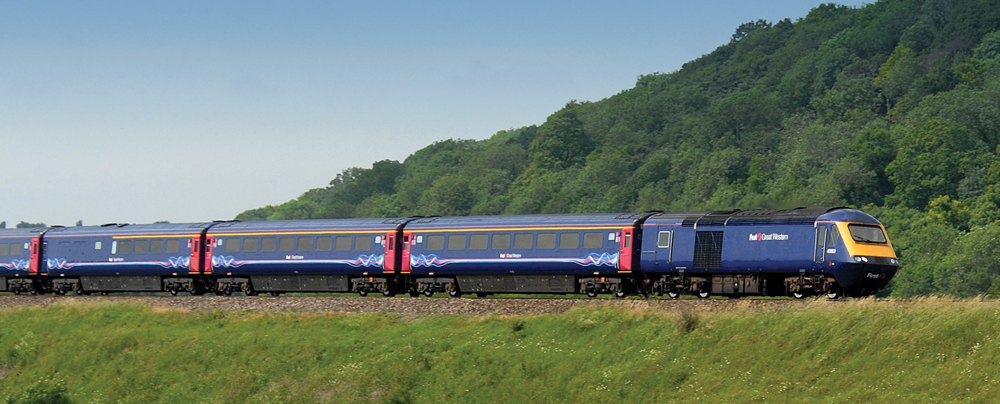
MÉRIDA, YUCATÁN – Travel insurance is something I rarely purchase. I’m not suggesting this is the right decision for everyone, however in my case I have international health insurance, and find the other benefits of travel insurance to be of questionable value. There are exceptions however; and when I purchased a train ticket for a journey in the UK last October, and was offered the chance to purchase a policy for £1.00, I figured it was worth it, since if my flight was delayed, and I missed the train, it would cover me. The email I received with the insurance policy (issued by a company called Columbus Direct) sounded reassuring: “Dear Mr. Mandy, Thank you for choosing to insure your train journey with Columbus Direct in Partnership with thetrainline.com. You can now relax and enjoy your trip, safe in the knowledge that you are covered for cancellation, missed departure, lost or stolen baggage, travel delay and more besides.”

In the event, I caught the train, although only just (you can read about the journey HERE if you are interested) however, due to someone being hit by a train just outside London, the train, and all other trains for the next few hours ended up being cancelled, and I elected to stay in London overnight and travel the following morning, a decision which cost me £70 for a night in a hotel near the station. A few days later, I remembered the insurance policy I had purchased. I was covered for “cancellation, missed departure, lost or stolen baggage, travel delay and more besides”!! I checked the summary of cover on the policy. Travel delay over four hours was a payment of £50; Travel delay over twelve hours, a payment of £75. Since I had been delayed overnight, it seemed to me I would be covered. On October 18, 2014, I emailed the insurance company to notify them I wished to make a claim for travel delay and to ask how this should be handled.

On October 20, I received an email from Intana Claims Team (who, apparently handle claims for Columbus Direct) with a 14 page claim form attached. I took this as their 1st attempt to discourage me from making a claim, since 14 pages for a simple delay seemed somewhat extreme. Upon examining the form in more detail, I found it was in fact the wrong form, as it was for trip cancellation due to medical reasons. I replied, pointing out that I wished to claim for trip delay, not trip cancellation due to medical reasons. The following day, Intana responded with a ‘Travel Delay and Missed Departure Claim Form’ which I was delighted to see was only 8 pages long. I completed the form, detailing the delay, the reasons, and the expenses I incurred, with copies of receipts, and sent it to Intana by snail mail, which was the only method by which it could be submitted.

Travel_Insurance-1

Intana responded to say that the expenses I incurred were not relevant; the cover provided was for travel delay; £50 for a delay over 4 hours; £75 for a delay over 12 hours, and in order for my claim to proceed, I would need to provide written confirmation from the carrier (train company) of the length of the delay measured from the scheduled time of departure to the actual time of departure. Fair enough; I was happy with the delay payments, so I contacted the train operator (First Great Western) via their website and asked them to provide confirmation of the delay, explaining the reason I needed it was to pursue a claim with Intana.

On October 29, First Great Western (who apparently had not bothered to read my request properly) responded, advising that since the circumstances of the delay were beyond their control, they were unable to offer any compensation. I replied to them the same day, pointing out I was not requesting compensation from them; merely confirmation of the delay in order to pursue a compensation claim with Intana.

On November 03, First Great Western responded again, confirming that my 12.30pm departure had been cancelled due to a person being hit by a train outside the station, and that services returned to normal ‘around 4pm’. I forwarded this information to Intana.

First Great Western
First Great Western

On November 24, having heard no more from Intana, I emailed requesting an update, and received a reply that my claim was ‘in the final stages of being assessed’ and assuring me I would receive a reply soon. On November 28, Intana responded, advising that my claim was being denied, as ‘we have noted that train services returned to their scheduled times at 4pm on 15th of October’ and therefore my delay was less than 4 hours. I responded the same day, pointing out that even though train departures returned to normal around 4pm, it did not mean that I would have been able to depart at 4pm, even had I remained at the station trying to do so, and that the next scheduled departure to my destination (if it left on time) would have been at 4.30pm, i.e. exactly 4 hours after my original scheduled departure. I commented that we in fact appeared to be in agreement that the delay could be considered to have been no less than 4 hours, and therefore, I looked forward to the settling of my claim without further delay.

Intana then went silent. On December 18, I emailed them to request an update. The following day, I received a reply that my claim was ‘in the final stages of being assessed’ and assuring me I would receive a reply soon. A slight feeling of deja-vu took over. By December 29, not having received any further reply, I emailed Intana again. On January 06, again. On January 07, again. On January 08, they finally replied, advising me that perhaps my claim could be considered, if I could provide confirmation from the train company that the earliest actual departure to my destination on the day in question was at or after 4.30pm. I replied, pointing out that I was unclear as to why they could not obtain this information themselves, however I would endeavor to obtain it. I emailed First Great Western, asking them to provide a clear statement that the earliest I could possibly have departed from London on October 15 would have been at 4.30pm.

On January 13, Intana replied to advise me that they had indeed tried to obtain the information themselves, however due to ‘data protection’ laws, the train company had been unable to provide the information, stating it could be provided to the ‘account holder’ only. Really? All we were talking about here was what time a train left the station almost three months previously. Hardly a matter of ‘data protection’ in my opinion.

On January 15, First Great Western replied, with the requested confirmation, which I forwarded to Intana.

On January 16, three months to the day from the day I actually traveled, Intana paid the claim, in the amount of £50.

Lessons learned: Document everything, and keep records. Be persistent and insist on replies. Expect ‘accidental’ responses with erroneous information. Expect attempts to deny claims based on incorrect assumptions. Don’t give up, when you know you are right. In this case, it would have been all too easy to decide it wasn’t worth the effort to recover £50; it became a question of the principle however, rather than the money, since I knew I was entitled to the payment, and became determined to receive it.

By Stewart Mandy

Sunday, January 18, 2015

Jet Lag

independenttraveler.com

A comprehensive guide to jet lag, prevention tips and jet lag remedies.

jet lag time zones angry man stressJet lag is a physical reaction to a rapid change in time zones. It affects most travelers, including seasoned fliers like flight attendants and pilots. Common symptoms include disorientation, irritability, fatigue, swollen limbs and eyes, headaches, cold-like symptoms, and irregular bowels.

It doesn't help that long-haul flying is so debilitating. Dehydration, unfamiliar foods, cramped spaces, recycled air, lack of sleep, uncomfortable clothes, continual low-level noise and connections that disrupt sleep all add to the misery of jet lag, and can even make you feel jet lagged when you're just a little beat up.

Flying from, say, New York City to Santiago won't produce jet lag in the true sense because both cities are in the same time zone -- but the effects of the long flight might feel quite a bit like classic jet lag. In these cases, you're just tired from the flight, and a good night's sleep and perhaps some exercise will set things right.

On long flights -- especially red-eye flights -- you can lose several hours of sleep time, which can set you back considerably even without the jarring time change. If you live by a regular schedule (up at 7 a.m., in bed by 10 p.m. every night), watch out. Jet lag hits those with rigid body clocks the hardest. For parents, be sure to bring along books and toys your child can play with on his or her own, in case the jet lag hits you differently than it does your little ones.

A general rule of thumb to keep in mind before any long trip is the 1:1 ratio: allow yourself one day to recover for every hour of time difference that you experience. So for Californians visiting the Big Apple, give yourself at least three days to fully adjust to the new time zone.


Before You Go

Treat your body well before you fly. Exercise, sleep well, stay hydrated and stay sober. The worst thing you can do is get on a long-haul flight with a hangover.

Some travelers like to exercise before they go to the airport. (This can actually help you sleep better on the plane.) Once you're at the airport, avoid the escalators and moving sidewalks. Instead, walk and take the stairs on the way to your check-in area and gate connections. You can even get a workout in at some airports; see Pump Up Your Layover for tips.

Adjust your habits before you leave. If you are traveling from the East to the West Coast of the U.S., you're facing a three-hour time change and you should try to adjust your internal clock. Three or four days before you leave, start to stay up a little later than usual, and sleep in a little longer. That way, if you become accustomed to falling asleep at 1 a.m. and waking up at 9 a.m. on the East Coast, it will be the same as falling asleep at 10 p.m. and waking up at 6 a.m. on the West Coast. Traveling west to east, do the opposite: get up and go to bed earlier.

Wearing two watches, one set to the current time, and one to the time at your destination, can help you prepare yourself mentally for the coming time change. Many business travelers also use this tactic to stay in touch with what's happening back at the office.


During the Flight

airplane sleep man travelPerhaps the most effective way to combat jet lag while in flight is to treat your body well. Stay hydrated by drinking plenty of non-alcoholic, non-caffeinated fluids. Don't be afraid to ask your flight attendant for extra water.

Get up out of your seat at regular intervals to walk and stretch. You can also do exercises like toe raises, isometric exercises, stomach crunches and shoulder shrugs right in your seat. This keeps your blood flowing and prevents it from pooling at your extremities, a common phenomenon in pressurized cabins.

Other tips: Get up to wash your face, brush your teeth or just stand for several minutes. Wear loose-fitting clothing that breathes. Bring a neck pillow, eye mask, ear plugs or noise-canceling headphones -- these can be invaluable on red-eye flights. Also, avoid any snug footwear (high heels or wingtips); it is quite possible that your feet will swell in transit, making your post-flight trek to baggage claim a nightmare.

Medications and Vitamins

Melatonin is a chemical in the body that helps regulate sleep cycles. It can be taken in pill form, and many travelers swear by it for fighting jet lag. However, as popular as melatonin is, it's also controversial. Studies have indicated that incorrect melatonin usage can make you feel even more fatigued, so be sure to read all instructions and consult your physician before taking the product.

One widely available homeopathic remedy is the aptly named No-Jet-Lag. The company claims the chewable tablets address all jet lag symptoms, and offers testimonials from flight attendants and other frequent fliers. A bag of dried cherries is another natural remedy that some travelers use, as these are a good source of melatonin.

Some travelers use sleeping pills, antihistamines and motion sickness pills to induce sleep on planes and at hotels after arrival. While they work for some, others are left feeling miserably groggy. For more information, see Medications for Travel, and consult your doctor before taking any medication.

woman bench beach smile travelIf all else fails, try an alternate therapy. Light therapy has become a popular treatment for jet lag. At its heart, jet lag means you're out of step with the rising and setting of the sun, so exposing yourself to light at the appropriate time can theoretically help you align your body with your new time zone. Unfortunately, the jury's still out on the effectiveness of this. The debate centers on precisely what kind of light is best -- natural, artificial, bright or dim. Some researchers and enthusiasts recommend simply spending 15 to 20 minutes in direct sunlight without sunglasses as soon as possible after landing.


Dietary Tactics

The so-called "jet lag diet," an alternation of feasting and fasting for three days leading up to a long-haul flight, was very popular a few years back. The military tested the diet and concluded, basically, that it is bunk. Nonetheless, Ronald and Nancy Reagan used it during their White House days, and some travelers still do. If you'd like to try it out for yourself, check out the diet regimen.

Restrict your diet to foods that are easily digested, like those that are relatively high in fiber but not too rich. If you're trying to stay awake in order to get your body in step with the local time zone, caffeine can be useful -- but don't go overboard. While it might seem tempting to guzzle several cups of coffee when your eyelids begin to droop, you could end up wide awake at 1 a.m. Be sure to implement all dietary changes in moderation.

There's an App for That

Several smartphone apps have been developed to help travelers fight jet lag. Enter your flight details into JetLag Genie or Jet Lag App, and they'll create a suggested schedule of when to sleep, eat and/or take melatonin to prepare for the time change. Both apps are currently only available for iPhones.

Friday, January 16, 2015

Avoiding the Airplane Cold

independenttraveler.com
cold flu tissue blowing nose sick womanMany travelers would swear that they get sick after every trip or vacation. They wonder if it was the food, the water, the pina coladas -- or, like me, the airplane ride. While I don't think you can count out the pina coladas (or that burrito you bought on the street), it turns out you could be right about airplanes.

Airline carriers are also formidable carriers of the common cold. A recent study says that colds may be more than 100 times more likely to be transmitted on a plane than during normal daily life on the ground, according to the Journal of Environmental Health Research.

Why this is the case isn't perfectly clear, but the publishers of the study investigate a panoply of possible causes, including close quarters, shared air and, as I will explain, the most likely culprit: extremely low cabin humidity.

On to the Numbers

The study found that "When the scenarios of 6 days, 24 hours or 5 hours were taken as the relevant flight exposure times to colds, passenger transmission rates for colds of 5, 23 and 113 times the normal daily ground level transmission rate were obtained." (Ominously, transmission rates for tuberculosis were also found to be dramatically increased as well.)

Thus, the common perception that flying causes colds seems to be based in fact -- maybe even 113 times over.

The Culprit: Low Cabin Humidity

The study runs through several potential sources of higher transmission, but settles primarily on a single likely cause: extremely low cabin humidity caused by low humidity at high elevations. (A review of the study reveals the conclusion that aircraft that actively recirculated air actually showed slightly lower transmission rates than those that did not.)

Most commercial airlines fly in an elevation range of 30,000 to 35,000 feet, where humidity typically runs at 10 percent or lower. At very low levels of humidity, the "natural defense system" of mucus in our noses and throats dries up and is crippled, creating a much more tolerant environment for germs to infect us.

This protective system, called the Mucociliary Clearance System, is your first line of defense against harmful germs and bacteria. To wit, if the common cold is pounced on by a sufficiently moist and percolating proboscis and throttled by your throat, you remain uninfected. Shut down those systems, and you'll be suffering within days.

Tips to Avoid the Airline Carrier Cold

1. Stay hydrated. It turns out that drinking plenty of water will not only counter the overall dehydrating effects of air travel, which can lead to headaches, stomach problems, cramps, fatigue and more, but can actually fortify your preemptive natural immune mechanisms to function considerably better. Of course, this is the case in normal daily life -- when exercising, during prolonged sun exposure, etc. Even caffeine and alcohol consumption can dry you out. However, in an airplane, where your nose and throat are on the front lines of the war with exceedingly dry air, these are the first places to suffer.

Sipping water or some other fluid regularly throughout the flight may be more effective than drinking a lot of water at one time before or during the flight; this will keep your protective system from long dry spells. (And we do mean to single out water here -- as noted above, alcohol and caffeinated drinks such as coffee or sodas can actually dehydrate you.)

Nasal mists have been found to be very effective in keeping this system working in your nose. Additionally, hot drinks are a good way to keep your protective mucous membranes working -- first, to assist in keeping you generally hydrated; second, by triggering the system into gear; and third, by directly providing moisture in the form of steam. Note that this is not a treatment per se. Rather, it just keeps your defenses strong and functioning.

wash hands washing hand sink faucet2. Keep your hands clean. Your hands are the most consistent point of first contact with cold, flu and other germs. It is a direct line from armrest/ handshake/seat back to fingers to fork to mouth to full-blown fever a few days later. Scientists report that the viruses that cause colds and flu can survive for hours on your skin or on objects such as armrests, TV remote control handsets, tray tables and other similar surfaces. However, the simple act of washing your hands with hot water and soap is a formidable rampart against this transfer of harmful microorganisms.

Hand washing is not just for restaurant workers and travelers; health professionals and researchers working to combat communicable diseases in many developing countries are waging a fierce campaign to encourage residents to adopt this simple practice into their daily routines. If possible, wash your hands before any in-flight meals, and after your flight as well.

Of course, airplane cabins are tight places; getting out of your seat to wash up before and after every snack time can be almost impossible, as the flight attendants command the aisles, your seatmates are trying to eat, tray tables are down cabin-wide, and no one involved really wants to have folks getting up and down and roaming around the cabin. (Even on the ground, the water in many locations can carry water-borne bacteria that may not agree with all Western constitutions.) In these cases, the Centers for Disease Control and Prevention recommends alcohol-based products made specifically for washing hands.

3. Don't forget the dental hygiene. Just as keeping your hands clean can prevent transmission of germs, using a germ-killing mouthwash in-flight may add another layer of protection while simultaneously helping to keep your throat moist. Just make sure your mouthwash bottle is three ounces or smaller to comply with the latest carry-on rules for liquids and gels.


4. Take your vitamins. The rapid response effect of vitamins is unproven, but many travelers swear by them. Charles Westover, a retired VP of fleet management for a major shipping company, starts taking vitamins two days before flying. "I have no idea if it helps at all, but of the hundreds or thousands of flights I have taken, I rarely get colds," he said. "I just take a standard multivitamin, and it has never let me down." The NIH concurs, sort of, offering that no conclusive data has shown that large doses of vitamin C will prevent colds, although it may reduce the severity or duration of symptoms.

5. Wear a face mask. The NIH cites airborne germs as one of the top two sources of cold virus infection; some travelers have taken to wearing masks either to prevent infection, or when they themselves are already infected. Personally, I would not last more than a half-hour or so behind a hot mask, but this may be an effective prevention tactic nonetheless.

As the proverb goes, an ounce of prevention may be worth a pound of cure -- or perhaps 113 cures.

Wednesday, January 14, 2015

ATMs Abroad

independenttraveler.com
atm machine automated teller woman card withdrawal bankWhether you need euros, shekels, pesos or pounds, making a withdrawal from an ATM is generally the easiest and cheapest way to get cash abroad. The biggest advantage of exchanging money with your ATM card is that all cash withdrawals, regardless of size, are exchanged based on the wholesale exchange rate, which is usually reserved only for very large interbank exchanges.

This rate is often significantly better than what you can get from exchanging money at a local exchange counter. In addition, local banks or money change bureaus will add on transaction fees, which can easily eat up another 2 percent of your money.

That's not to say there aren't any fees associated with international ATM withdrawals -- see below -- but if you need cash, you will still almost always get the best exchange rate at the lowest possible cost by using your ATM card.

Finding an ATM
 
If your ATM card is linked to the PLUS, Cirrus or Maestro networks, you have the option of using it to obtain cash virtually anywhere in the U.S. and in hundreds of countries worldwide. Each network has more than a million ATMs. The PLUS network is associated with Visa, so your Visa card will usually work at those ATMs. Likewise, the Cirrus and Maestro networks are associated with MasterCard, and so ATMs marked with these logos usually accept MasterCard for cash advances.

Before you leave home with just your ATM card, however, make sure that the Cirrus, Maestro or PLUS networks are readily available where you're going. While these networks are increasingly common overseas, they are still only available at a limited number of banks in selected countries. Each network has an online ATM locator:
MasterCard/Cirrus/Maestro ATM Locator
Visa/PLUS ATM Locator

Check the back of your card to see which networks your card is linked to. If your card is not a part of either Cirrus or PLUS, you may find it difficult to find ATMs to use abroad. Contact your bank for assistance.

Using Your Card Abroad
 
atm key pad keypad pin number codeIf you want to use your ATM card overseas, keep in mind that many ATMs abroad, particularly in Europe, do not accept PINs longer than four digits. If your PIN is longer, contact your bank to have it changed. Also, if your PIN is based on letters rather than numbers, translate the letters into numbers before leaving the country. Many ATMs only have numbers on the keypad. One more thing to keep in mind: Most ATMs abroad will only let you access the primary account on your ATM card.

Sudden changes in your account activity, such as frequent withdrawals in a foreign country using your ATM card, can sometimes trigger a fraud alert and cause your bank to freeze your account. To prevent being stranded overseas without a functioning ATM card, be sure to call your bank before you leave to let them know where and when you will be traveling. During the same phone call, ask for a number that you can call from overseas in case your card is lost or stolen -- often the 800 number listed on the back of your card will only work in the U.S. or Canada. Be sure to keep this number in a separate place from your card.

It's important to have a back-up plan in case your card is lost, stolen or eaten by an ATM machine; this could be in the form of a second ATM card (either your own or a travel companion's), cash, credit cards or traveler's checks.

Which Fees to Expect
 
At the very least you will probably be charged the same transaction fee, if any, that your bank charges you when using another bank's ATM. However, many banks charge higher fees for international ATM withdrawals -- either a flat rate (typically $1 - $6) or a set percentage of your total withdrawal (usually 1 - 3 percent). Check with your bank before each trip abroad, as these fees can change often and without warning. To add insult to injury, you may also be charged a fee by the owner of the foreign ATM.

Because these small fees can add up quickly, you will probably want to withdraw larger amounts than you might normally do at home -- so be sure you have a safe, well-concealed place to keep your cash. When deciding how much to withdraw, try to choose an uneven amount (180 euros rather than 200, for instance) so you don't wind up with huge bills that you'll have trouble breaking.

Monday, January 12, 2015

Tips for Using Public Wi-Fi Networks

consumer.ftc.gov

Wi-Fi hotspots in coffee shops, libraries, airports, hotels, universities, and other public places are convenient, but often they’re not secure. If you connect to a Wi-Fi network, and send information through websites or mobile apps, it might be accessed by someone else.
To protect your information when using wireless hotspots, send information only to sites that are fully encrypted, and avoid using mobile apps that require personal or financial information.

How Encryption Works

Encryption is the key to keeping your personal information secure online. Encryption scrambles the information you send over the internet into a code so it’s not accessible to others. When you’re using wireless networks, it’s best to send personal information only if it’s encrypted — either by an encrypted website or a secure Wi-Fi network. An encrypted website protects only the information you send to and from that site. A secure wireless network encrypts all the information you send using that network.

How to Tell If a Website is Encrypted

If you send email, share digital photos and videos, use social networks, or bank online, you’re sending personal information over the internet. The information you share is stored on a server — a powerful computer that collects and delivers content. Many websites, like banking sites, use encryption to protect your information as it travels from your computer to their server.

To determine if a website is encrypted, look for https at the start of the web address (the “s” is for secure). Some websites use encryption only on the sign-in page, but if any part of your session isn’t encrypted, your entire account could be vulnerable. Look for https on every page you visit, not just when you sign in.

What About Mobile Apps?

Unlike websites, mobile apps don’t have a visible indicator like https. Researchers have found that many mobile apps don’t encrypt information properly, so it’s a bad idea to use certain types of mobile apps on unsecured Wi-Fi. If you plan to use a mobile app to conduct sensitive transactions — like filing your taxes, shopping with a credit card, or accessing your bank account ­— use a secure wireless network or your phone’s data network (often referred to as 3G or 4G).

If you must use an unsecured wireless network for transactions, use the company’s mobile website — where you can check for the https at the start of the web address — rather than the company’s mobile app.

Don’t Assume a Wi-Fi Hotspot is Secure

Most Wi-Fi hotspots don’t encrypt the information you send over the internet and aren’t secure. In fact, if a network doesn’t require a WPA or WPA2 password, it’s probably not secure.

If you use an unsecured network to log in to an unencrypted site — or a site that uses encryption only on the sign-in page — other users on the network can see what you see and what you send. They could hijack your session and log in as you. New hacking tools — available for free online — make this easy, even for users with limited technical know-how. Your personal information, private documents, contacts, family photos, and even your login credentials could be up for grabs.

An imposter could use your account to impersonate you and scam people in your contact lists. In addition, a hacker could test your username and password to try to gain access to other websites – including sites that store your financial information.

Protect Your Information When Using Public Wi-Fi

Here’s how you can protect your information when using Wi-Fi:
  • When using a hotspot, log in or send personal information only to websites you know are fully encrypted. To be secure, your entire visit to each site should be encrypted – from the time you log in to the site until you log out. If you think you’re logged in to an encrypted site but find yourself on an unencrypted page, log out right away.
  • Don’t stay permanently signed in to accounts. When you’ve finished using an account, log out.
  • Do not use the same password on different websites. It could give someone who gains access to one of your accounts access to many of your accounts.
  • Many web browsers alert users who try to visit fraudulent websites or download malicious programs. Pay attention to these warnings, and keep your browser and security software up-to-date.
  • Consider changing the settings on your mobile device so it doesn’t automatically connect to nearby Wi-Fi. That way, you have more control over when and how your device uses public Wi-Fi.
  • If you regularly access online accounts through Wi-Fi hotspots, use a virtual private network (VPN). VPNs encrypt traffic between your computer and the internet, even on unsecured networks. You can get a personal VPN account from a VPN service provider. In addition, some organizations create VPNs to provide secure, remote access for their employees. What’s more, VPN options are available for mobile devices; they can encrypt information you send through mobile apps.
  • Some Wi-Fi networks use encryption: WEP and WPA are common, but they might not protect you against all hacking programs. WPA2 is the strongest.
  • Installing browser add-ons or plug-ins can help. For example, Force-TLS and HTTPS-Everywhere are free Firefox add-ons that force the browser to use encryption on popular websites that usually aren't encrypted. They don’t protect you on all websites — look for https in the URL to know a site is secure.
  • Take steps to secure your home wireless network.

Saturday, January 10, 2015

11 Ways to Prevent Identity Theft While Traveling

independenttraveler.com

identity theft laptop thiefTips for avoiding scams and theft while traveling are a staple of the travel writing genre; pretty much every guidebook or travel Web site dedicates some space to the subject. Certainly we have our own capacious resources, most of which can be found at the following links:


But in the 21st century, you are as much at risk of having your identity stolen -- or more accurately your financial and digital identity -- as you are of getting "mugged," which almost sounds quaint these days (though I do not intend in any way to underplay the misery and danger of actually getting mugged).

Identity theft is a growing problem worldwide -- especially for travelers, who are very vulnerable, forced as they are to use unsecured Internet connections, carry extensive personal documentation with them at all times, and share their credit cards with merchants about whom they know nothing and whom they'll never see again.

Modern technology hasn't made it any easier for honest folks to avoid identity theft, either; witness the practice of Web sites like Facebook and LinkedIn, which often keep you logged in to the site, even after you close your browser or turn off your computer. Someone getting unfettered access to your closest friends on Facebook could definitely shake out some very "helpful" information before you knew it.

As time and technology advance, this problem is only going to affect more travelers. Here are 11 tips to avoid identity theft while traveling, right now.

1. "Unpack" Critical Documents Before Travel

If you carry some essential documents with you when you are not traveling -- the average wallet or purse might include a Social Security card, bank statements, medical documents, checkbook and the like -- remove them before you leave home. Essentially, when it comes to documentation, you want to "unpack" before traveling.

This can also be done further once you're on the road. If you're going to a location that is known for pickpocketing, or is going to be packed with people, or at which you will be distracted (big concerts, crowded squares, nightclubs, etc.), you can pare down the contents of your wallet even further before venturing out from your hotel room. You can put these in your hotel safe (but use caution), behind the hotel's front desk or in a money belt concealed on your person.

2. Guard Your Documents

This is one of the tips you will encounter in most travel safety articles, so I won't go into it at length here -- but suffice to say that if you leave any sensitive documents lying around in your hotel room while you are out, you are a lot more likely to experience identity theft than if you have them in a money belt, document protector, even an RFID-blocking wallet.


3. Be Very Careful About Shared and Insecure Internet Connections

This is one thing that I have found very difficult to do – when traveling, it is hard to find connections other than public ones at hotels, cafes, airports, you name it. To see the warning "this connection is unsecured and others may see your information" is almost a staple of the travel experience. The risk applies to anything you type into your keyboard while connected, such as e-mail passwords and Web site logins.

The best approach in this case is to be very careful when using these connections; logging into your bank account, work e-mail or other sensitive account should be avoided if at all possible. If you have no alternative, choose what you type over these open connections very carefully.

If you're traveling with your own laptop and using free Wi-Fi, it is important to make sure your connections are secure. Some Web sites let you log in over open networks; always try to use HTTPS://www.website.com instead of HTTP://www.website.com (the S stands for "secure" and indicates that the data is encrypted for more protection). You can also get a plug-in for your browser like HTTPS Everywhere, which will try this automatically. Another solution might be the USB-based product SurfEasy, which will help encrypt your data when you're using a public connection from your own computer.

If you want more security when using someone else's machine, such as at an Internet cafe, hotel lobby computer or other public terminal, you can try a service like Authentic8. Authentic8 runs the browser in a sandbox in the cloud, where all connections and data are kept secure. The service gives you a display on the local computer, and prevents things like key loggers from accessing your passwords.


4. Delete All Cookies and Browsing History on Public Terminals

If you find you must use a public computer, the last thing you should do is delete all cookies and browsing history before you log off. Many computers can cache quite a bit of significant information, and some Web sites are even set up to keep you logged in when you close the browser unless you specifically log off (such as Facebook and LinkedIn). Many public terminals will delete this type of data automatically, but doing it yourself offers much better peace of mind.

5. Use a Dedicated Travel E-mail Address

When I see messages arrive from overseas via work e-mail accounts, I shake my head every time. If someone gets access to your work e-mail account, the amount of damage they could do to your livelihood is inestimable. Certainly there are times when you need to log in to your work account, but you will want to use caution in the extreme at those times.

My suggestion in this case is to use a personal e-mail address when possible while traveling, one at which you store no sensitive information and at which a fake log-in won't be cataclysmic, and communicate from that e-mail address exclusively. On occasion you will see addresses like johndoetravelemail@gmail.com; this travel-exclusive e-mail approach can work very well.

6. Use Only Bank ATM's

A recent trend among identity thieves has been to install card readers in an ATM by which they can access your card number and PIN. This happens most often at non-bank, "generic" ATM's (in hotels, convenience stores, etc.), which have less oversight and are therefore more vulnerable than bank-run and hosted ATM's. Stick with the ones at banks; these can still be compromised, but tend to be targeted by thieves much less often.

7. Check Your Credit Card Statements on Occasion

At times when you are confident in the security of your connection -- perhaps in a friend's home, or when connecting using a smartphone app over a regular cell 3G or 4G connection (which tend to be more secure than public Wi-Fi) -- check your credit card statement for suspicious activity.

Identity thieves like picking travelers as victims, as they rely to some extent on the delay in being found out that is inherent to travel; most travelers don't check bank and credit card information until well after they have returned home, giving thieves a solid head start. As a rule, the sooner you can shut down an identity thief, the better, so consider checking in now and then to make sure things look normal.

8. Keep Your Cell Phone Secure

cell phone moscow travelerWe think a lot about how vulnerable our computers are, but cell phones are potentially even more so: you have them on you at all times, they're almost always turned on and logged in, they typically have apps on them that give access to personal information, and folks leave them lying around quite a bit. If there is anything you might lose or have stolen, it is a small, compact smartphone. Some things you can do to protect yourself:

- Set a password on the phone so someone who finds or steals it can't use it.

- Before traveling, consider deleting any especially sensitive apps, such as banking apps, social networks, etc. There are easy to reinstall when you get home.

- Specifically log out of all apps before going out and about. As above with some Web sites, many apps keep you logged in by default (Facebook, Twitter, Angry Birds, you name it).

- Remain wary of suspicious e-mails and Web sites. Studies indicate folks are much more likely to click on malware links on their cell phone than on their computer.

- All of the foregoing cautions about public Wi-Fi spots go for your cell phone as well.


9. Protect Your Children Too

A recent development in identity theft crimes is the use of a child's name and identity to open bank accounts and credit cards, apply for government benefits, and more. In most cases, criminals use a child's Social Security number to get started.

When traveling, document requirements vary widely for children -- sometimes you need ID, sometimes you don't, sometimes you can fudge it either way -- but many parents travel with some form of identification just in case. Often, these are very sensitive documents like birth certificates and Social Security cards.

My advice is to get a passport for your child, and travel with that instead of any other forms of identification. Then protect your child's passport in the same way you would your own.


If anyone requests your child's Social Security number for any reason, ask if they can accept another form of ID, or simply refuse to surrender the number. If you suspect your child's identity may have been compromised, in most cases a credit check is the quickest way to find out; your child should have no substantive credit rating whatsoever. For more on the topic, see the FTC's information on Child Identity Theft.

10. Change Passwords and PIN's

You may want to change your passwords after a trip; identity thieves are thought to be very patient criminals, and often wait until you are less likely to pay attention after a few weeks at home. If you really like your password or PIN, one approach might be to change them right before you leave, use a new password while traveling and then change them back to your preferred passwords when you get home.


11. Follow Up After Your Trip

When you get home, check bank activity, credit card activity and even medical insurance claim activity to see if there is anything you do not recognize. These are often the first places you'll see indications of identity theft. Some thieves will purposely use your information in situations where the paper and digital trail will only appear slowly -- establishments that submit charges and claims manually (or at least not in real time) -- so it is a good idea to check again after a couple of weeks to make sure nothing has shown up in the meantime.

Thursday, January 8, 2015

Traveling with a Smartphone: Cut Costs Overseas

independenttraveler.com
smartphone smart phone cellphone cell keys hand fingersOn a recent trip to the U.K., I turned on my smartphone shortly after clearing customs. Almost as soon as the phone booted up, a text popped up on the screen:
International data rate of $19.97/MB applies. Unlimited domestic data rate plan does NOT apply in this location. Details: att.com/global. AT&T Free Msg
Twenty bucks a meg is a pile of money for a trickle of data. If you are not up to speed on data measurements, consider that the average iPhone camera photo is just under two megabytes in size. So if I take a photo and send it over my cell phone, it will cost me nearly forty bucks -- that had better be one good photo. (At least AT&T's notification text message was free...)

Simple phone call costs aren't much better -- if you can figure out the tortured packages offered by most cell phone carriers, you are way ahead of the game already. As for pricing and plan variations from carrier to carrier, it's a bit like the first line from Anna Karenina: "Happy families are all alike; every unhappy family is unhappy in its own way." Every carrier offers a very different but also very reliably muddled and expensive plan.

Editor's Note: In October 2013, T-Mobile announced that it will be eliminating roaming charges in more than 100 countries for its customers traveling abroad.

Muddled and Expensive Is Right

One serious problem facing consumers is that the Web sites of these companies are almost impossible to figure out. Even for a simple calling plan, AT&T's "World Traveler" program appears to any reasonable person to cost $5.99/month at this page. But when you keep clicking, you discover that the $5.99 just lowers the per-minute cost for each call, usually by about 20 - 40 cents per minute. In the end, in addition to the $5.99, you are still usually paying $0.99 or more per minute when you make a call while overseas.

It just gets worse for the international data plans; I spent a couple of hours on the AT&T Web site, with multiple browsers open -- and in the end, I had to call them to fill in the gaps in both the information they posted and my understanding of that information.

The truth is, the carriers like it this way. They know they have you by the wallet, and they're not inclined to loosen their squeeze when you go overseas; rather, they see your attachment to your smartphone as a unique profit opportunity. They know no one wants to have a different phone number while overseas, or to spend their trip haunting Carphone Warehouses trying to unlock their phone, buying SIM cards, and losing access to all the contacts, information and apps on their smartphones.

 Focus on the Smartphone

For information on figuring out the basics of making and receiving international mobile phone calls, see our International Cell Phone Guide. From here out I'll focus on smartphones, which folks use for a lot more than phone calls, especially while traveling. Indeed, for many, their smartphone is never so critical than while traveling, as we have replaced paper with data in almost every respect while traveling. Confirmation numbers, flight times and notifications, maps, car service phone numbers, hotel reservations, restaurant searches, coffee shop locations, the length of lines at Disney World -- more of this stuff happens on smartphones than even on computers these days, for many travelers.

But when you go overseas, all of those things that you count on from your smartphone instantly cost $19.95/megabyte as soon as you get off the plane. Assuming that none of us is interested in these predatory prices, here are my suggestions for workarounds and data plans for the smartphone-reliant traveler.

My Recommended Strategy

Before going into all your various options, in hopes of saving you some time and money, I want to share my recommended workaround for all this stuff. One important caveat -- my system depends on occasional to frequent access to Wi-Fi. I almost always travel with my laptop, and need access anyway, so this really works for me.

I will outline this in bullet format, as I think it is simple enough on the face of it. The very short version is: "Get a mobile VOIP phone number, forward everything to that, and then access that number over Wi-Fi."

1. Get a U.S.-based voice over IP (VoIP) phone number of some kind, whether it be Skype, Google Voice, Tango or Line2 (I use Line2 and occasionally Skype; I recommend choosing one that forwards voice mail to e-mail and/or converts to text, merely for another layer of convenience).

2. Forward your "regular" cell phone number to this number; do this while still on your home network, or the system may track you wherever you actually are.

3. Turn off cellular data, 3G and roaming, and even put your cell phone in airplane mode.

4. Investigate Wi-Fi options where you are traveling, whether it be in your hotel room, at an Internet cafe, in a coffee shop, from pay services like Boingo or BT Openzone (I used this in the U.K. last month, as it worked for both my laptop and phone for three pounds/day), or from a MiFi account. Check out JiWire.com for international Wi-Fi spots; searching by your destination makes it really easy to figure out what companies offer Wi-Fi services where you are headed.

5. Consider an international text message package from your carrier if this will be important on your specific trip (although services like Line2 do allow texting over Wi-Fi).

6. Do your calling and texting on your VoIP number over Wi-Fi.

7. Accept that the occasional essential "normal" call will cost some money, but it shouldn't be too much, and will be only about 30 - 40 cents more than if you paid for an international plan.

8. Done.

There can still be some costs involved; for example, if I call a landline in the international country using Line2, the cost is two cents per minute; if I call a cell, it is 38 cents per minute. However, a call to any U.S. number is free so long as I have a Wi-Fi connection, even if that person is physically located outside the U.S. The same applies to text messages; it costs 10 cents per text to international numbers, and no charge for texts to U.S. numbers. Also, there's a monthly fee ($9.95) for Line2, though the company does offer a free trial period that you could use for a short trip.

smartphone laptop smart phone cell hotel bed woman travelAs I suggest above, a very similar approach can be used with Google Voice; a nice feature of Google Voice is transcribed voice mail, which is even easier to deal with on your computer. Google Voice international calls start at a couple of cents per minute, and go up to approximately $0.25/minute.

Skype is free for computer-to-computer voice and video connections, and has a few different pricing options for other types of connections, starting at 1.2 cents/minute.

If you have a special circumstance that requires you to be accessible (your company needs to contact you, your kids are at home with grandparents, your wife is expecting, etc.), turn your phone on, turn all roaming services off, and use caller ID to let you decide which calls to take and which to ignore. This will let you see if an important call is coming in.

I know this scheme balances entirely atop the potentially wobbly point of reliable Internet access, but if you don't need to be always-on during your trip, batching your calls and contacts at times that you have Internet access works extremely well, and saves you heaps of money. Still, if this is still not convenient enough for you and you need an always-on smartphone plan, read on.


First Off, You Need a GSM Phone

It is important to understand that not all phones are capable of connecting to international cell carrier systems. You specifically need a GSM phone, which is the standard for international cellular networks. Of the two biggest U.S. Carriers, AT&T has the edge here, as most of the Verizon network is on the CDMA system, although Verizon does offer GSM/CDMA dual phones.

If you are on Verizon but have a CDMA phone, look into its Global Travel Program; Verizon will provide a GSM-capable phone that will use your same phone number, just for the charge of shipping, and of course any applicable calling and data charges as well.

Things to Do Right Before Leaving

From experience I know it is very easy to leave off changing your phone settings until you are already abroad -- at which point voice mail, texts and other data that is automatically "pushed" to your phone will start downloading as soon as you have signal. These can cost you a lot of money pretty quickly -- I paid more than $20 for a photo of my nephew playing in a plastic swimming pool a couple of weeks ago. To avoid these instant charges, before turning off your phone stateside, you should do the following:
  • Turn off 3G (or 4G)
  • Turn off cellular data
  • Turn off data roaming
  • Reset all your usage statistics
The first three changes will prevent you from running up data charges without even knowing it; the last will allow you to track how many minutes/how much data/how many texts you have used during your trip. You can usually find these in the Settings section of your smartphone.


Dealing with Text Messaging

While traveling so far this summer, I found I did not much miss making regular calls; however, on these particular trips, where a large group of folks had a lot of different and very fun things going on, I did miss texting, as this was the best way to decide on meeting places, find each other in crowds or public spaces, and notify folks of fun activities.

Most companies offer a package that includes a finite number of international texts; AT&T, for example, has a $10/month package that includes sending 50 messages while outside the U.S. That's 20 cents per text; inbound texts are "free," in that they are simply charged against your normal domestic text account. If you text without having purchased a package, each outgoing text is 50 cents, and each incoming text is 20 cents.

On Verizon, the international plan costs 25 cents per text for outgoing messages, and 20 cents for incoming messages.

In most cases, you will need to arrange for these packages to be added to your plan before you leave home; you can provide both a start and end date for your package, but be aware that there may be some billing anomalies that could cost you, as I will explain below.

Big Data Requirements: Web Sites, E-mail, Attachments, Mapping and More
If you want full access to all functions of your smartphone with or without a Wi-Fi connection, you will need an international data plan. On AT&T these typically cost a little more than $1 per gigabyte of data, which is expensive, but still a whole lot less than the $20 per megabyte. Verizon's costs are quite a bit higher, starting at $30 for 25 MB/month.

One challenge is understanding how much data you will actually need. This Data Calculator can help you estimate what you will need based on your typical usage patterns; for a different (and slightly more limited) look, try Verizon's calculator. Even veteran smartphone users will find these to be very handy little applications.

Mapping apps in particular can be essential while traveling, but they are definitely data hogs; you will want to use them sparingly. Some inventive folks are figuring this out; for traveling in major cities, check out Offmaps.com, an offline mapping app that uses a phone's always-on GPS without needing a data connection.


Other Gotchas to Beware

When you make a connection overseas, you are typically not connecting to your own carrier's service, but to a third-party carrier, which then bills your carrier, which bills you. Some of these carriers will not bill your account in an entirely timely manner, such that data connections made in July might show up on your August bill. As such, you will want to make sure the dates for your data package extend long enough after your trip to cover these late-billing companies, and you will want to watch your account to make sure all charges have been applied before turning off your international package.

bill computer older couple laptopHow likely is this to happen? Well, in the U.K. alone, your iPhone is likely to connect to four different carriers at some point: Hutchison 3G, O2, Orange and Vodafone. Each of those will bill your account on its own schedule.

On the same point, your own carrier will often sell packages according to your monthly billing dates, so if you are traveling in overlapping billing periods, you may be required to purchase part of a plan for part of one month and part of the next. Add to that the straggler carriers billing you well after the fact, and let the invoice juggling begin.

Even at a time when mobile phones and smartphones are booming internationally, and mobile costs are dropping on the whole, no one will argue that phone companies are making this easy, oof. However, if you combine a modest data plan with a small battery of Wi-Fi tactics, you should be able to contain costs and hassles alike.

Tuesday, January 6, 2015

The Best Way to Carry Money Overseas

independenttraveler.com

credit card passport travel vacation moneyBefore you leave for your next trip abroad, take a moment to think dollars and cents -- or should we say pounds and pesos? Get the most for your money when traveling internationally by doing a little homework first.

The most important step is to know your options. In days of yore, traveler's checks were the most popular way to carry money overseas -- but today's travelers are much more likely to rely on credit cards and ATM withdrawals, which usually offer better exchange rates and lower fees.
What's the best option for you? And how can you avoid those pesky currency conversion fees when making purchases abroad? Read on for answers to these questions and a comprehensive roundup of all your currency conversion options when you're traveling overseas.

Credit Cards
 
Best for: Large purchases such as airline tickets, hotel bills, car rentals and restaurant meals.

Pros: The biggest advantage to using credit cards while traveling overseas is that credit card purchases are exchanged at the interbank exchange rate, usually the best rate you can get for currency exchange. While most credit card issuers charge currency conversion fees each time you make a purchase in a foreign currency (generally 1 percent from Visa or MasterCard plus an additional 1 - 2 percent for themselves), these fees are typically lower than those you'd pay to convert your own currency at a change bureau. And there are a few cards out there (many from Capital One) that do not charge any foreign transaction fees at all, not even the ones from Visa or MasterCard. Check out CardHub.com for a list.

Cons: Some restaurants, stores and even hotels won't take credit cards, so you'll need to have cash on hand at all times. While you can use credit cards to get cash advances at ATMs, bear in mind that they'll be subject to any finance charges your credit card company imposes -- which can add up very quickly. Plus, if you're not home by the time the bills come in and you haven't made arrangements to pay them, you'll be hit with hefty finance charges on these advances.

One problem for U.S. travelers is the growing prevalence of "chip-and-PIN" credit cards in Europe, Asia and South America. Designed to reduce fraud, these cards rely on an embedded chip that transmits information to a merchant, which the consumer then verifies by entering a PIN. While U.S. cards with magnetic stripes will still work as long as there's someone to swipe them, many travelers report problems using their cards in ticket vending kiosks, at gas stations or in other places featuring automated payment machines. If you find yourself in this dilemma, your only alternatives are to find an attendant to scan your card or to use cash instead.

These cards are not yet widely available in the U.S. However, several banks, including Citi, Bank of America and Chase, have begun issuing dual credit cards that use both the magnetic stripe and the embedded chip, and Travelex has introduced a prepaid chip-and-PIN MasterCard that works like a hybrid between a credit card and a traveler's check. (See the Traveler's Checks and Check Cards section of this story to learn more.)

What You Need to Know: The first thing you should do if you are traveling abroad with a credit card, even if you only plan to use it in case of an emergency, is to call the issuer and ask which fees will apply to your purchases, both in local currency and in U.S. dollars. We recommend calling before each trip, as these policies may change without notice.

While you're on the phone, you'll also want to let your credit card issuer know when and where you will be traveling -- that way the sudden international activity on your account won't trigger your issuer's fraud alert system. As a precaution, we recommend bringing two credit cards on your trip in case one stops working. Finally, get a phone number that you can use to call the company from overseas if your card is lost or stolen. (The 800 number on the back of your card typically will only work in the U.S. or Canada.)

Some merchants (particularly in Europe) offer what's known as dynamic currency conversion, which means that they'll charge you in dollars rather than the local currency. Because some card issuers will waive the currency conversion fee if your overseas purchase is made in dollars, dynamic currency conversion could help you save a few coins. However, keep in mind you'll almost always get hit by a conversion fee from the merchant instead -- sometimes up to 5 percent -- so you may end up losing out on the deal. Be sure you know which fees apply to either option before deciding which currency to use.

A few other caveats to bear in mind: Some hotels and car rental companies may put holds on your credit card for the amount of your total expected bill. This can use up your credit line before you've actually incurred and paid for the charges. All merchants are supposed to inform you if they do put a hold or "deposit" on your card. If they do, make sure you clarify that the hold has been removed when you've paid your bill in full.

Keep in mind that you may not have as much protection overseas as you do at home when problems arise over inaccurate charges. Incidents are always being reported of travelers being charged twice for the same item or for items they never purchased, and credit card companies have been unwilling or unable to intercede on their behalf. Always watch merchants imprinting your card and keep your receipts. After you get home, check your credit card statement. If you see charges you didn't make, call your creditor and ask them to dispute the charges.

Debit and ATM Cards
 
atm woman sunglasses money cash machineBest for: Getting cash in local currency.

Pros: You'll get the same great interbank exchange rate when you make cash withdrawals with your debit or ATM card as you do when you make a credit card purchase. With ATMs available in major cities and airports all over the world, this is generally the cheapest and most convenient way to get cash in the local currency.

Cons: Each cash withdrawal you make will usually be subject to currency conversion fees, foreign ATM fees or other charges from your bank and/or the local bank that maintains the ATM. For more information, see ATMs Abroad. Debit cards work pretty much the same as regular credit cards for purchases, but if your card is lost or stolen you may not have the same protection. By U.S. law, as long as you report your card missing within two business days, your maximum liability for use of that card will be $50 -- the same as for a credit card. However, if you wait any longer, you could be responsible for hundreds of dollars in unauthorized charges.

What You Need to Know: If the ATM card from your home bank isn't connected to the worldwide Cirrus or PLUS networks, you may want to look into getting a MasterCard or Visa debit card. While they look and can be used like regular charge cards, they actually debit your checking account the same way your ATM card does.

If you are renting a car, you should be aware that while you can use a debit card to pay for the rental charges, you might not be able to reserve the car with this type of card.

Finally, don't forget to call your bank and make it aware of your travel plans; as with credit cards, sudden international activity using your debit card could cause your account to be frozen.

Cash
 
Best for: The first 24 hours of your trip -- to tide you over until you can find the nearest ATM.

Pros: It's often a good idea to get some foreign currency before you leave home so that you have cash on hand to handle your immediate expenses -- like buying a meal at the airport or taking a cab to your hotel. This way you're not stranded without cash if the airport ATM isn't working or you arrive after the local exchange bureau has closed.

Cons: You typically won't get a great conversion rate from your home bank, and you may also have to pay fees or commissions. If you're traveling to a major international airport in a large city, which will likely have multiple ATMs and change counters, getting currency beforehand probably isn't necessary.

What You Need to Know: You can get foreign currency from your local bank, online or at the airport. Try your local bank first, as they may waive fees for certain accountholders. We recommend bringing $100 - $150 worth of foreign currency.

Traveler's Checks and Check Cards
 
Best for: Emergency backup if you can't find a functioning ATM (checks) or a secure alternative to cash (checks and check cards).

Pros: Traveler's checks and check cards provide more security than cash because they can be replaced (usually within 24 hours) if lost or stolen. While traditional traveler's checks have largely gone the way of the dinosaur, Visa and Travelex offer travel cards that are prepaid like traveler's checks but work like credit cards for purchases and ATM withdrawals. To avoid the aforementioned problems that U.S. travelers have at overseas chip-and-PIN machines, Travelex even offers a chip-and-PIN card (available in several different currencies). Traditional checks are still sometimes useful as currency if you can't find a functioning ATM.

europe travel traveler tourist woman mapCons: The exchange rate for traveler's checks is not as favorable as the interbank rate you'll get when using a credit or debit card, and very few merchants accept the checks for purchases these days. You'll also have to pay commissions, shipping charges and/or conversion fees to purchase and cash the checks. The prepaid cards give you better exchange rates, but there are plenty of fees here too -- look out for activation fees, charges for reloading the card, ATM charges or inactivity fees. In most cases, you're probably better off using your own debit card.

What You Need to Know: Keep your checks' serial numbers in a secure but separate place from the checks themselves in case they're lost or stolen.

Sending Money Abroad
 
Best for: Emergencies when you need money sent overseas in a hurry.

Pros: If you find yourself stranded overseas without cash, someone at home can wire money to you and you'll have it within a day -- or even a few minutes.

Cons: Fees for sending money abroad can run anywhere from 1 to 10 percent or more; the faster you need the money, the more expensive it will be.

What You Need to Know: The best-known companies for sending money are Western Union and MoneyGram. Both charge variable fees depending on how much money you're sending and where you're sending it. The slower the service you choose, the more economical the price.

Other choices for sending money abroad include bank wire transfers or international postal money orders from the post office. While less expensive, these methods may take more time.

Sunday, January 4, 2015

From Pat-Downs to Full Body Scanners: The TSA Firestorm

independenttraveler.com


tsa pat down patdown airport securityEditor's Note: Since this story was published, the TSA announced that pilots and flight attendants in uniform will be exempt from going through the new full body scanners at the airport. They will still need to go through a metal detector and present two forms of photo ID. Pilots and flight attendants who are not in uniform or on official business will have to go through the same security procedures as all other travelers. These procedures are described below.

The Transportation Security Administration (TSA) certainly has a firestorm on its hands as the agency continues to roll out its full body scanning machines (which are now labeled with the bureaucratically neutral name Advanced Imaging Technology machines). The use of these scanners has precipitated extremely aggressive pat-downs for those travelers who choose not to go through the machines, whether for health or privacy reasons.

These past couple of weeks, it seems like it is almost every day that a traveler has another bruising encounter with the TSA. On November 6, John Tyner was kicked out of the San Diego airport for refusing both the full body scanner and a pat-down. Tyner's blog post and film of his experience have turned into a media sensation.

It's one thing when uber-privacy advocates, bloggers and even regular (if deservedly) recalcitrant travelers refuse to go through the scanners, filming their experience the whole way -- but it is another thing entirely when a growing number of professional pilots refuse to submit to the scans.
  • First, ExpressJet/Continental Express pilot Michael Roberts refused to go through a scanner; he quickly became the poster man for the issue, and garnered considerable support from other pilots.

  • Last week, Continental pilot Ann Poe refused to be subjected to the new pat-downs; Poe has an artificial hip that always trips the metal detectors, so she ould have to undergo a mandatory pat-down for every single flight she flies. With the pat-downs now much more invasive, she refused.

  • In somewhat less dramatic but no less disconcerting fashion, author/pilot Patrick Smith of Salon's Ask the Pilot also refused to enter the scanning machines this month, and wrote about it here, the punch line being that there were no actual body scanning machines at the airport -- the agents seemed just to be practicing on Smith.
As red flags go, the refusal of the very people flying the planes to submit to the new security procedure is a pretty big one. That the TSA has a problem with pilots edges into the absurd -- you have to think that if a person who is driving a plane wants to take it down, he or she is going to figure out a way to do so. And with more than all due respect to the countless very professional TSA and other government security agents doing their jobs well and correctly, nearly every casual traveler has encountered agents who are not so professional in one way or another -- whether in their demeanor, comments, abuse of power or even just wearing a bad mood on their sleeves. So it's not hard to imagine not wanting to subject yourself to the whole thing every day just to be able to go do your job.

On the other hand, the flying public is reasonable in feeling that what is good for the goose is good for the gander: if the current system is good enough for us mere tax-paying citizen travelers, it should be good enough for pilots, and airport workers, and everyone, really. If the system were in fact safe and respectful of folks, the pilots wouldn't have a beef.

For the record, I have no problem with scanning machines (and have gone on record saying as much), as long as they do not pose a health problem -- which is still under debate, as I will show below. On a privacy basis, I really don't care if some security guard sees me quasi-naked; people see each other in various states of disrobe all the time, not only in hospitals and doctors' offices 24 hours a day, but in non-medical situations at the local pool, the gym and public restrooms. Trust me, I am no exhibitionist; I just couldn't really care less if one more person happens to see me sort of in my birthday suit, especially if the person in question is in a separate booth and can't actually associate my face with the body on the screen.

Currently, TSA has 385 imaging technology machines at 68 airports and plans to deploy approximately 500 units this year. TSA plans to purchase and deploy an additional 500 units in 2011. Unless pilot and traveler complaints really gain traction, these machines are not going away, so in hopes of cutting through the media noise and rising anger on the subject, I have tried to address most of the major issues below, with comments and clarifications from Sarah Horowitz of the Transportation Security Administration.

The Machines
full body scanner advanced imaging technology AIT tsa airport security agentsThe TSA currently uses two different scanning machines; the first uses a millimeter wave technology, which Horowitz of the TSA writes "bounces harmless electromagnetic waves off of the human body to create an image resembling a fuzzy photo negative."

The other uses backscatter X-ray technology: "Backscatter technology projects an ionizing X-ray beam over the body surface to produce an image that resembles a chalk-etching."

Radiation
Irrespective of your position on privacy issues, radiation risks are and should be of serious concern to everyone.

I asked the TSA about the risks, and received the following from Horowitz, which I reproduce here in full:
Imaging technology is safe for passengers, and the technology meets all national safety and health standards. Backscatter technology was evaluated by the Food and Drug Administration's (FDA) Center for Devices and Radiological Health (CDRH), the National Institute for Standards and Technology (NIST), and the Johns Hopkins University Applied Physics Laboratory (APL). All results confirmed that the radiation doses for the individuals being screened, operators, and bystanders were well below the dose limits specified by the American National Standards Institute. Each full body scan with backscatter produces less than 10 microREM of emission, the equivalent to the exposure each person receives in about 2 minutes of airplane flight at altitude. The energy emitted by millimeter wave technology is thousands of times less than what is permitted for a cell phone.

Before TSA purchases technology, the technology is validated by manufacturers to ensure it meets national safety standards. TSA also conducts site acceptance testing of [Advanced Imaging Technology] to ensure individual AIT units meet safety standards. Once installed, TSA ensures the required manufacturer's preventive maintenance is performed by qualified personnel. Certified Health Physicists with the U.S. Army Public Health Command (Provisional) are performing additional radiation safety surveys and area dosimetry studies to ensure continued compliance with radiation safety standards.
Having extensively reviewed both scientific statements and utter rants about this issue, I would say that the jury is still out to some extent. For a look at some of the facts and concerns, which lack of space and my own lack of expertise will not permit me to address at length here, I suggest starting with the Wikipedia articles about the technologies, which will point you to a number of resources (with the standard caveat that Wikipedia is an open source encyclopedia, and is not necessarily vetted by experts).
It does appear that the backscatter machines are more of a cause for concern, at least so far, so if you are really worried, you might ask what kind of machine is in use before you walk through. Note that some travelers have reported that TSA agents on site did not know which kind of machine was in use at their own security stations, so have been unable to answer the question.

Privacy: The Scanners


backscatter advanced imaging technology airport security tsa full body scannerThe privacy issue is proving to be a thicket of problems for the TSA, to the extent that the ACLU is involved. Concerns arise due both to the images displayed by the scanning machines and seen by TSA agents, and to the new aggressive pat-down procedures.

To address the scanned images, as I suggest elsewhere in this report, the scanner images do show travelers in a sort of quasi-naked state. The image at right is an example from one of the backscatter machines.

It is clear that specific body parts can be detected, if in a sort of "line drawing" rendering; the TSA describes these as a "fuzzy photo negative" for the millimeter wave machine, and resembling a "chalk etching" for the backscatter machine. Both types of machines do apply filters to attempt to enhance privacy; the millimeter wave machine blurs facial features, and the backscatter machine has a privacy filter applied to the entire body.

Editor's Note: Since the publication of this article, the TSA has changed the way images are captured so that threats are shown on a generic gray outline of a body. See Are the TSA's New Body Scans Less Embarrassing?

As for storing the images, Horowitz writes, "Imaging technology cannot store, export, print or transmit images. All images are deleted from the system after they are reviewed by the remotely located operator. All machines have zero storage capability because they are disabled by the vendor before they reach airports. No cameras, cellular telephones or any device capable of capturing an image is permitted in the resolution room." Also, it is my understanding that the images are deleted before the next passenger can be scanned.

The public's confidence that the images are being deleted are not helped by reports that a courthouse in Florida, which used extremely similar machines and made similar claims that nothing was being saved, was discovered earlier this year to have archived thousands of these images. The TSA says its machines are different, but many travelers remain skeptical.

Privacy: Pat-Downs
The new procedures now allow TSA agents doing pat-downs to use the front of their hands and to conduct what turn out in practice to be unarguably intimate searches of travelers' entire bodies. For some revealing video of how aggressive these pat-downs can be, see this video from a recent Today Show. As many have reported, agents really are touching folks' "private" parts.

Unfortunately, this pat-down is the only alternative to the full body scanner. If there is a scanner in your security lane and you prefer to opt out, you are in for a very aggressive pat-down. Herein lies the problem for many travelers -- potentially unsafe X-rays or a full groping are now part of the cost of taking a flight to attend a bat mitzvah or beach vacation these days.

Also, going through the full body scanner is no guarantee that you won't have to go through a pat-down as well. If any anomalies are detected during the scan, officers may take you aside for a pat-down; the same applies if you are selected for random screening.

Pat-downs are conducted by officers of your gender, and you have the right to request a private screening at any point. And for worried parents, Horowitz tells us, "After a thorough risk assessment and after hearing concerns from parents, TSA made the decision that a modified pat-down would be used for children 12 years old and under who require extra screening."

Editor's Note: In September 2011, the TSA announced further changes to the screening procedure for children 12 or younger. They will no longer have to remove their shoes before going through the checkpoint, and if the metal detector or full body scanner detects any anomalies, the child may be able to go through the machine again in lieu of a pat-down. The screener may also choose to swab the child's hands for explosives before resorting to a pat-down.

For disabled travelers who are unable to stand unassisted for five to seven seconds in a full body scanning machine with their hands raised above shoulder level, a pat-down will be required, Horowitz tells us. "Passengers who can neither walk nor stand are ineligible for advanced imaging technology screening and receive alternative screening using a pat-down procedure while passengers remain in the wheelchair," she says. "Regardless of the degree of mobility, passengers' wheelchairs are thoroughly inspected and any removable items are required to undergo X-ray screening. As with all passengers, travelers with special needs, or their caregivers, can request private screening at any point during the screening process."

Security: Do The Machines and Procedures Make Us More Secure?

I don't consider myself a TSA apologist by any means, but I have to admit that I buy into the notion that careful passenger screening is a deterrent to terrorist activities. It will not work all the time, and the TSA has definitely not done a great job of explaining themselves either on a macro policy level, or when face-to-face with travelers. They seem to dither on silly stuff (iPad out of bag or not?), and overreach egregiously on important stuff -- threatening to lock up people who do not want to be groped is the stuff of police states, not of safety enhancement.

One of the most persuasive elements of pilot objection to the procedures derives from the fact that while pilots must go through the scanners, potentially hundreds of other airport employees, from food vendors to maintenance crew, apparently may not. If the whole point of the process is that anyone who is on the airplane side of the security checks is considered safe, it is hardly reassuring that cleaners, caterers, fuelers and other people with full access do not have to go through the same scanners as do pilots, flight attendants and passengers, according to Patrick Smith. I asked the TSA about this, and Horowitz said only that "all airport vendors are subject to the TSA approved airport security screening plan," but did not say specifically one way or the other if they had to go through the scanners.

Conclusion
airport floor passengers air travel terminalThere are a lot of reasons why the TSA is having a particularly rough time at the moment. To outline a few -- first, the machines are very new and far from ubiquitous, so travelers on an outbound flight might do the usual shoes- and sweaters-off routine, and on the way home find themselves being roughed up by someone wearing blue latex gloves, with little or no warning about what to expect where, when or why.

Second, it appears that the TSA has not truly completed its due diligence -- or very importantly marketing -- on the safety of the machines.

Third, regular travelers and airline professionals alike are tiring of the machinations of an inefficient, impersonal and bullying bureaucracy, particularly one where the people applying the rules so often don't even know the rules, or seem to make them up as they go along.

In truth, a backlash on this issue has been brewing for nearly a decade. I don't think many honest commentators would disagree that the TSA has bumbled and bungled its way to this impasse, even if those same folks would agree that the efforts of the TSA almost certainly have foiled or at the very least discouraged some form of terrorist activities in airports.

The TSA's obligation is to the safety of the public who employs them -- but this must extend not only to keeping terrorists off of planes, but also to keeping travelers safe from potentially harmful X-rays and extremely invasive pat-downs by sometimes unprofessional agents. The word that keeps coming up on all sides of the debate is "balance" -- in the links above you will find that pilots, aggrieved travelers and the head of the TSA alike all use the word to support their very much opposing positions. Everyone agrees that balance is what we need -- but they are standing on opposite ends of the beam.